![TD - symbol.svg]](https://tourneydirect.com/hubfs/Tourney%20Direct/TD%20-%20symbol.svg)
HOW IT WORKS
- Open the builder — In the operator portal, go to Tools → Stipend Events Page. The list shows every page you’ve made with its status, link, and events.
- Create a page — Click “+ Create New Landing Page,” then give it a name and a short, friendly URL (for example, summer-showcase). The name is just for you; the URL becomes part of the public link.
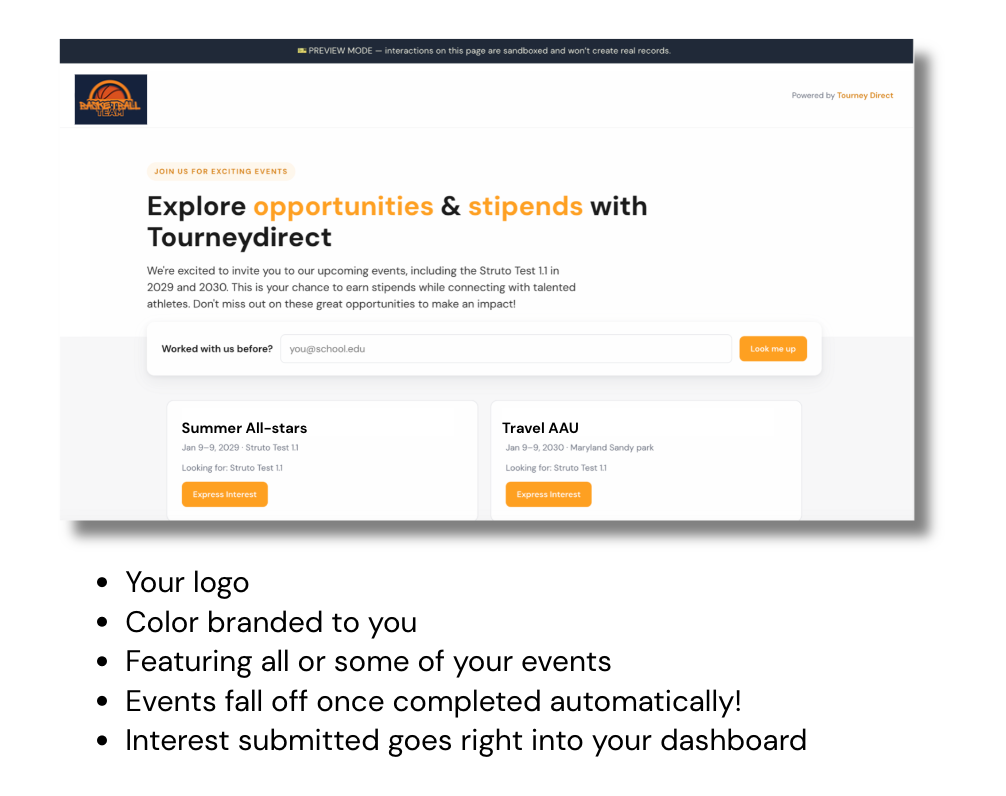
- Add your branding — Upload your logo and choose your brand color. Your logo is saved automatically, so it carries over to future pages.
- Pick the events to feature — Select the upcoming events you want coaches to see. Past events drop off automatically; drafts can be added but are flagged for review.
- Write the page copy — Add a headline and intro paragraph or have Teddy draft it for you from the events you picked. Edit anything until it sounds right.
Preview, publish & share — Review the live preview (you can also email yourself or a colleague a preview link to see it exactly as a coach would). When it’s ready, click Publish, then copy the public link and send it to coaches.
WHAT COACHES SEE
When a coach opens your page, they see your branded event stipend opportunity lineup and can express interest in multiple events. Returning coaches are recognized automatically; new coaches complete a short form. Every submission flows straight into your Tourney Direct event dashboard. No spreadsheets, no forms, no manual entry.
|
TIPS
|